
The Rise of Personalized T-Shirts in 2025
Few items of clothing are as universal and versatile as the T-shirt. It’s comfortable, affordable, and worn by people of all ages, making it a blank canvas for creativity. Over the past decade, the humble T-shirt has become more than just casual wear—it has transformed into one of the most popular mediums for self-expression, gifts, and branding. Today, personalized T-shirts are everywhere, from family gatherings and weddings to small businesses and global fashion trends.
The Popularity of Personalized T-Shirts
The demand for custom apparel has skyrocketed in recent years. People want clothing that reflects their personality, values, or memories. Unlike mass-produced shirts from big retailers, personalized T-shirts feel unique and meaningful.
- As gifts: A custom T-shirt with a favorite quote, family photo, or inside joke is far more thoughtful than a generic store-bought item. Birthdays, anniversaries, and holidays are some of the most common occasions for personalized shirts.
- For events: Family reunions, bachelor and bachelorette parties, charity runs, and corporate retreats often feature matching T-shirts as both memorabilia and a unifying symbol.
- For businesses: Startups, gyms, cafés, and sports teams use personalized shirts for branding, uniforms, and merchandise.
In short, custom T-shirts are versatile—equally valuable for personal moments and professional opportunities.

The Explosion of Custom Apparel Online
The rise of e-commerce has accelerated this trend. Platforms like Etsy, Shopify, and print-on-demand services (such as Printful or Printify) have made it easier than ever for individuals to design, sell, and ship custom shirts worldwide. What once required industrial screen-printing equipment is now possible from your home office with a heat press and digital clip art.
According to industry reports, the global custom T-shirt printing market is expected to surpass $10 billion by 2025. The reason? Customers crave uniqueness. They don’t just want to wear a shirt—they want to wear a message, an artwork, or an identity.
Why Personalization Appeals So Strongly
At its core, personalization is about connection. A shirt isn’t just fabric—it’s a fashion statement, a memory, or a reflection of who you are.
- Emotional Connection: Wearing a T-shirt made specifically for you feels personal and special. It could celebrate your favorite hobby, feature your pet’s name, or mark a milestone like a graduation.
- Fashion Statement: Custom shirts let people stand out. Instead of wearing what everyone else buys at the mall, they can wear something tailored to their personality.
- Group Identity: Matching shirts for a sports team or company outing create a sense of unity and pride.
This blend of emotion, fashion, and function is what makes personalized T-shirts one of the hottest items in custom design.
What This Guide Will Cover

This ultimate 2025 guide will walk you through everything you need to know about creating personalized T-shirts with digital designs. We’ll cover:
- The tools and materials you’ll need (beginner and advanced).
- How to choose the right digital designs, file formats, and resolution.
- A step-by-step process for designing and printing your first shirt.
- An overview of printing methods: sublimation, vinyl, DTG (direct-to-garment).
- Creative design ideas for gifts, events, and businesses.
- The common mistakes to avoid when personalizing shirts.
- How to turn your hobby into a profitable business and scale it into a brand.
And because licensing is an important part of selling custom apparel, we’ll also highlight how to use digital clip art responsibly. For details, review our Refund & Licensing Policy to ensure your designs are both creative and compliant.
Conclusion of the Introduction
Personalized T-shirts are more than just clothing—they’re a global phenomenon that blends creativity, identity, and entrepreneurship. Whether you’re designing a gift for a loved one, producing shirts for an event, or considering launching an online store, this guide will give you the tools and confidence to succeed.
👉 Let’s start by exploring why personalized T-shirts are so popular and why they remain one of the most sought-after custom products in 2025.
👉 Link to your Refund & Licensing Policy for design licensing awareness.
1. Why Personalized T-Shirts Are So Popular
T-shirts are more than just everyday clothing—they are canvases for expression, storytelling, and identity. The reason personalized T-shirts remain one of the most popular custom products in 2025 comes down to their unique ability to combine practicality with meaning. People don’t just wear them for comfort; they wear them to share a message, celebrate a moment, or showcase their personality.

The Emotional Value of Custom Apparel
Personalized T-shirts have a way of turning simple garments into treasured keepsakes. Unlike a store-bought shirt with a generic slogan, a custom T-shirt can capture a memory or inside joke that means something deeply personal.
Examples include:
- A shirt with a baby’s first photo and birthdate for new parents.
- A graduation T-shirt with the student’s name and year.
- A family reunion shirt with a watercolor illustration of the family tree.
These shirts aren’t just fabric—they’re memory markers. Every time the recipient wears one, they relive that special moment or connection.
Perfect for Events and Celebrations
Events are one of the driving forces behind the demand for personalized T-shirts.
- Weddings and Bachelor/Bachelorette Parties: Matching shirts with names, roles, or fun phrases like “Bride Tribe” or “Team Groom.”
- Birthdays and Anniversaries: Custom designs that reflect age milestones, favorite hobbies, or heartfelt quotes.
- Family Reunions: Coordinated shirts create unity and serve as souvenirs for future generations.
- Sports Teams: Matching jerseys or fun designs for amateur leagues, school competitions, or charity runs.
Events like these ensure constant demand for new T-shirt designs. That’s why sellers who specialize in seasonal and event-based shirts often thrive—there’s always another celebration on the calendar.
Corporate Branding and Team Identity
Personalized T-shirts aren’t just popular with individuals—they’re also a favorite tool for businesses. For companies of all sizes, branded shirts serve as walking advertisements and symbols of team unity.
Benefits include:
- Affordable marketing: Printing a company logo on T-shirts is cheaper than billboards but offers daily visibility.
- Uniform identity: Staff wearing coordinated shirts present a professional and cohesive image.
- Promotional merchandise: Companies sell or give away T-shirts with slogans or logos, spreading brand awareness organically.
For startups and small businesses, custom shirts are a low-cost way to stand out and build recognition.

Affordable Entry into DIY Crafting
Another reason custom T-shirts are so popular is that they’re accessible to beginners. Unlike high-end fashion production, making a personalized T-shirt doesn’t require huge investment or advanced equipment.
- With as little as £200–£300, a beginner can buy blank shirts, transfer paper, and a basic heat press.
- Those looking to expand can invest in sublimation printers or direct-to-garment (DTG) machines for professional-quality results.
This affordability makes T-shirt personalization one of the easiest and most appealing entry points for DIY crafters and aspiring entrepreneurs.
Case Example: The Birthday Shirt That Sparked a Business

Take the story of Alex, a university student who designed a funny slogan T-shirt for his friend’s 21st birthday. The shirt, featuring bold text and a quirky illustration, became the hit of the party. Guests kept asking where they could get one. Seeing the demand, Alex uploaded the design to Etsy, and within two months, he had sold over 200 shirts.
What started as a single gift quickly turned into a side hustle. Alex’s story shows how a simple custom T-shirt can evolve into a business opportunity almost overnight.
The popularity of personalized T-shirts lies in their versatility and impact. They can be emotional gifts, unifying event souvenirs, powerful branding tools, or fun fashion statements. Best of all, they’re affordable to produce, making them accessible for hobbyists and profitable for entrepreneurs.
2. Tools and Materials You’ll Need
Before you can start making personalized T-shirts, you’ll need the right setup. The good news? Getting started doesn’t require a huge investment. Whether you want to make shirts as a fun hobby or launch a small business, there’s a range of beginner-friendly tools and more professional equipment you can grow into. Let’s break down everything you’ll need—software, hardware, and materials—to bring your T-shirt designs to life.

Beginner vs. Advanced Setup
Beginner Setup (~£200–£300):
- Free or low-cost design software (like Canva).
- Inkjet printer with transfer paper (for simple heat transfer projects).
- A basic heat press or even a household iron for HTV (heat transfer vinyl).
- Packs of blank cotton or poly-cotton T-shirts.
👉 Perfect if you just want to test the waters with gifts or small custom orders.
Advanced Setup (~£800–£1,500):
- Sublimation printer (great for polyester shirts).
- DTG (Direct-to-Garment) printer for professional cotton printing.
- High-quality heat press (swing-away or clamshell style).
- Cricut or Silhouette cutting machine for precise vinyl cutting.
- Bulk orders of T-shirts in different colors, styles, and sizes.
👉 Best for Etsy/Shopify sellers or small businesses aiming for consistent, long-term production.
Software: Design Tools for T-Shirts
Design software is where your creativity takes shape. Here are some popular options:
- Canva (Beginner-Friendly): Easy drag-and-drop interface, perfect for quotes and simple designs.
- Adobe Photoshop & Illustrator (Professional): Ideal for photo editing and vector designs; industry standard for T-shirt graphics.
- Procreate (iPad): Excellent for hand-drawn illustrations and custom artwork.
- GIMP (Free Alternative): Open-source version of Photoshop; powerful without the cost.
👉 Pro Tip: If you’re making designs to sell, stick with programs that allow you to save in high-resolution PNG and vector formats (SVG/EPS).
Hardware: Machines That Make It Happen
- Printers
- Inkjet with Transfer Paper: Low-cost option for casual use.
- Sublimation Printers (e.g., Epson EcoTank, Sawgrass): Best for polyester shirts; produces vibrant, long-lasting prints.
- DTG Printers: Print directly onto cotton shirts. Higher investment but professional results.
- Heat Press
- Essential for applying designs. Options include:
- Clamshell presses: Affordable and compact.
- Swing-away presses: Provide even pressure and more safety for beginners.
- Essential for applying designs. Options include:
- Cutting Machines (Optional)
- Cricut or Silhouette cutters precisely cut vinyl designs or stencils. Perfect if you want to offer text-based designs, logos, or layering effects.
Materials: What You’ll Work With
- Blank T-Shirts: Cotton for vinyl and DTG, polyester for sublimation. Choose high-quality blanks for durability.
- Heat Transfer Vinyl (HTV): Sheets of vinyl that can be cut into shapes and pressed onto shirts. Available in matte, glitter, metallic, and patterned styles.
- Sublimation Paper & Ink: Special materials required for sublimation printing.
- Transfer Paper: For inkjet designs applied with heat.
- Protective Sheets: Teflon sheets or parchment paper to prevent sticking during pressing.
Safety Tips and Workspace Setup
- Ventilation: Some transfer methods release fumes—always work in a well-ventilated space.
- Protective Gear: Use heat-resistant gloves when handling hot presses.
- Workspace: Set up a sturdy table with enough room for your printer, heat press, and cutting machine. Keep blanks and materials organized.
Cost Comparison: Beginner vs. Pro Setup
| Item | Beginner Setup | Advanced Setup |
|---|---|---|
| Design Software | Canva (Free) | Photoshop/Illustrator (£20/mo) |
| Printer | Inkjet (£100) | Sublimation (£400+) or DTG (£1,000+) |
| Heat Transfer | Household iron (£20) | Heat Press (£200–£400) |
| Cutting Machine | Not required | Cricut/Silhouette (£250) |
| Starter Materials | £50–£100 | £150–£250 (bulk packs) |
Total Investment:
- Beginner: ~£200–£300
- Advanced: ~£800–£1,500
The tools and materials you choose will depend on your goals. If you’re experimenting with gifts or small personal projects, a beginner setup is more than enough. But if you want to launch a professional shop or scale up production, investing in sublimation or DTG printing will give you the quality and durability customers expect.
3. Choosing the Right Digital Designs
No matter how good your printer or heat press is, the quality of your personalized T-shirts will ultimately depend on one thing: the digital design file. A blurry, low-resolution image will produce a blurry, low-resolution shirt. A properly formatted, high-resolution design, on the other hand, will give you crisp lines, vibrant colors, and a professional look. Choosing the right designs isn’t just about style—it’s also about file type, resolution, and licensing.
Understanding File Formats for T-Shirt Printing
There are several file formats used in T-shirt design, each with unique strengths. Knowing which to use will save you frustration and wasted materials.
- PNG (Portable Network Graphics):
The most versatile format for T-shirt personalization. PNGs support transparent backgrounds, making it easy to layer designs on any shirt color without leaving a white box around them. They also maintain high resolution.
👉 Best for: Clip art, illustrations, text with designs. - SVG (Scalable Vector Graphics):
Vector-based format that can be resized infinitely without losing quality. SVGs are essential if you’re cutting designs with a Cricut or Silhouette machine. They ensure sharp edges for vinyl transfers.
👉 Best for: Logos, lettering, simple line art. - EPS/AI (Vector Files):
Professional vector files often used in Adobe Illustrator. Perfect for scaling and editing advanced designs.
👉 Best for: Businesses or professional print shops. - JPG (Joint Photographic Experts Group):
A common photo format, but it doesn’t support transparency and is more prone to compression issues.
👉 Best for: Full-background images or photo prints, but not ideal for layered designs.
Resolution: Why 300 DPI Is a Must

Resolution matters as much as format. Many beginners make the mistake of downloading an image from the internet that looks fine on screen but prints poorly.
- DPI (Dots Per Inch): For apparel printing, your files should always be at least 300 DPI. Lower resolution will result in blurry, pixelated prints.
- Canvas Size: Standard print areas are around 12″ × 16″ for T-shirt designs. At 300 DPI, this equals 3,600 × 4,800 pixels.
👉 Pro Tip: Start larger and scale down. It’s better to shrink a big file than to stretch a small one.
Color Profiles: RGB vs. CMYK
- RGB (Red, Green, Blue): Used for digital screens. Most design software defaults to this.
- CMYK (Cyan, Magenta, Yellow, Black): Preferred for printing because it matches printer ink colors.
Many sublimation printers auto-convert from RGB to their own print profiles, but for DTG and screen printing, designing in CMYK can give more accurate results.
Licensing: Personal vs. Commercial Use
This is an area where many new creators accidentally run into trouble. Just because an image is available online doesn’t mean you’re legally allowed to sell products made with it.
- Personal License: You can use the design for yourself or as a gift but not for profit.
- Commercial License: Required if you plan to sell shirts featuring that design.
👉 To stay safe, always review the Refund & Licensing Policy before using digital files. At TumblersGalaxy, we provide clear licensing so you know exactly what’s allowed—perfect for crafters who want to sell without worry.
Examples of Designs That Work for T-Shirts
Here are some categories from TumblersGalaxy clip art collections that translate beautifully onto apparel:

- Floral Elements: Watercolor wreaths, bouquets, and individual flowers for weddings, Mother’s Day, or fashion-forward designs.
- Pet Illustrations: Cat and dog clip art for pet-owner shirts—one of the most profitable niches on Etsy.
- Seasonal Packs: Christmas reindeer, Halloween pumpkins, Valentine’s hearts—seasonal demand never goes out of style.
- Abstract Backgrounds: Watercolor textures or patterns to add depth behind quotes.
- Quotes & Typography: Pairing clip art with bold, legible fonts for maximum impact.
Tips for Choosing Designs That Sell
- Keep It Simple: The T-shirt canvas is limited. Overly complex designs may lose detail.
- Contrast Matters: Make sure your design colors stand out against the shirt color.
- Think About Audience: A shirt for teachers will look different than one for gym-goers or gamers.
- Offer Variations: For example, a floral wreath could be sold as “Best Mom Ever,” “Best Teacher Ever,” or customizable with a name.
Choosing the right digital design is the foundation of successful T-shirt personalization. With the correct file format, resolution, and license, you’ll create shirts that look professional, last long, and—if you’re selling—meet marketplace requirements. High-quality clip art collections like those at TumblersGalaxy give you the flexibility to design for multiple occasions and audiences without worrying about blurry prints or copyright issues.
4. Step-by-Step: Designing Your T-Shirt
Designing a personalized T-shirt may feel overwhelming at first, but with the right tools and workflow, it’s surprisingly straightforward. Whether you’re using professional software like Photoshop or beginner-friendly apps like Canva, the process follows the same core steps. In this section, we’ll walk through the complete design workflow—from setting up your canvas to exporting a print-ready file.

Step 1: Set Up Your Canvas
Before you begin adding artwork, you need to prepare the canvas to match your T-shirt’s printable area.
- Standard Print Area: Most heat presses and printers support a print area of around 12″ × 16″ (3,600 × 4,800 pixels at 300 DPI).
- Smaller Designs: Pocket prints or chest logos may only require a 4″ × 4″ area.
- Back Prints: For large back designs, stick with the full 12″ × 16″ template.
👉 Always set your resolution to 300 DPI for sharp, professional prints.
Step 2: Import Your Clip Art or Design Elements
Now it’s time to bring in your artwork.
- PNG files with transparent backgrounds are ideal because they can be placed on any shirt color.
- Drag and drop your clip art into your design software.
- Resize while holding shift (to avoid stretching).
If you’re using TumblersGalaxy watercolor clip art, consider combining elements (e.g., a floral wreath with bold text in the center).
Step 3: Add Text and Typography
Text is a big part of T-shirt personalization. From motivational quotes to funny slogans, adding words makes designs feel unique.
- Font Choices:
- Script fonts = elegant (great for weddings, mom shirts).
- Bold sans-serif fonts = modern (great for fitness or business branding).
- Handwritten fonts = casual and fun.
👉 Tip: Keep text legible at a distance. A shirt is read in passing—simplicity is key.
Step 4: Experiment with Placement
Placement makes a huge difference in how a T-shirt looks.
- Centered chest design: Classic and most common.
- Pocket print (left chest): Subtle and professional.
- Full back design: Eye-catching, great for events or teams.
- Sleeve design: Unique option for logos or small icons.
Use guides in your software to align elements properly. Nothing looks more amateur than a design that’s unintentionally crooked.
Step 5: Preview with Mockups
Before you print, test how your design will look on a real shirt using mockups.
- Mockup Tools: Canva, Placeit, or Photoshop Smart Objects.
- Upload your design onto a blank T-shirt mockup.
- Preview it in different colors (black, white, grey) to ensure contrast.
👉 Mockups are also essential for selling online—customers want to see how the shirt looks before buying.
Step 6: Prepare for Printing
When your design is finalized, it’s time to export it.
- File Format: PNG (sublimation or DTG) or SVG (vinyl cutting).
- Resolution: Always 300 DPI.
- Background: Transparent, unless you’re creating a full-background print.
- Mirroring: For sublimation and some vinyl transfers, make sure to flip your design horizontally before printing.
Step 7 (Optional): Create Variations
If you plan to sell, creating variations can dramatically increase your product range.
Example:
- Floral wreath design with “Best Mom Ever.”
- Same wreath with “Best Teacher Ever.”
- A blank wreath version customers can customize with their name.
With one clip art set, you can produce multiple profitable designs.
Practical Example: Creating a Fitness T-Shirt
Let’s say you want to design a gym T-shirt:
- Open a 12″ × 16″ canvas at 300 DPI.
- Import a grunge watercolor background from TumblersGalaxy.
- Add bold text: “No Pain, No Gain” in a heavy sans-serif font.
- Place the design centered on the chest.
- Preview it on black and grey shirt mockups.
- Export as a mirrored PNG, ready for sublimation.
From start to finish, the design takes less than an hour—but looks professional and print-ready.
Designing T-shirts is a balance of creativity and technical setup. By following these steps—setting up the right canvas, using high-quality clip art, choosing legible fonts, previewing with mockups, and exporting correctly—you’ll ensure your designs not only look great on screen but also print perfectly on fabric.
5. Printing and Transfer Methods
Once your digital design is ready, it’s time to bring it to life on fabric. There are several methods for transferring artwork onto T-shirts, each with its own strengths, weaknesses, and ideal use cases. The right choice depends on your budget, shirt material, and whether you’re making a one-off gift or scaling a small business. Let’s explore the most common printing techniques in detail.
Sublimation Printing
What it is: Sublimation uses heat and pressure to turn special ink into gas, bonding permanently with polyester fibers in the shirt.
Best for: Polyester shirts or poly-blend fabrics. Works beautifully with light-colored garments.
Process:
- Print your design (mirrored) onto sublimation paper using sublimation ink.
- Place the paper onto the shirt and secure it with heat-resistant tape.
- Press using a heat press at 375–400°F (190–205°C) for 40–60 seconds.
- Peel off the paper to reveal a vibrant, permanent design.
Pros:
- Long-lasting prints that won’t peel, crack, or fade.
- Bright, vivid colors.
- Great for full-color images and clip art.
Cons:
- Limited to polyester fabrics.
- Works best on white or light-colored shirts.
👉 Pro Tip: Use TumblersGalaxy watercolor clip art with sublimation for professional-looking, full-color T-shirts.
Heat Transfer Vinyl (HTV)
What it is: A sheet of colored vinyl is cut into shapes or text using a Cricut or Silhouette machine. The vinyl is then heat-pressed onto the shirt.
Best for: Cotton or cotton-blend shirts, small runs, text-based designs, and bold graphics.
Process:
- Cut your design on vinyl with a cutting machine.
- Weed (remove) the excess vinyl.
- Place the design on the shirt with transfer tape.
- Press with a heat press at 300–320°F (150–160°C) for 10–15 seconds.
Pros:
- Works on cotton, polyester, and blends.
- Durable and flexible.
- Great for small-scale, custom text shirts.
Cons:
- Limited to solid colors unless you layer vinyl.
- Slightly raised texture on the fabric.
👉 Perfect for “bride tribe,” sports team names, or bold motivational slogans.

Direct-to-Garment (DTG) Printing
What it is: DTG printers spray water-based ink directly onto cotton shirts, much like an inkjet printer but for fabric.
Best for: 100% cotton shirts, detailed designs, small to medium production runs.
Process:
- Pre-treat the shirt with a solution that helps absorb ink.
- Load the shirt into the DTG printer.
- Print the design directly onto the fabric.
- Cure the ink with a heat press.
Pros:
- Full-color, photo-quality prints.
- Works well for complex designs and gradients.
- No need for transfer paper or vinyl.
Cons:
- Expensive equipment.
- Slower than screen printing for bulk orders.
Screen Printing (Traditional Alternative)
What it is: Ink is pushed through a stencil (screen) onto fabric. Each color requires its own screen.
Best for: Large bulk orders (50+ shirts), bold designs with few colors.
Pros:
- Inexpensive per shirt at scale.
- Very durable prints.
Cons:
- Not cost-effective for small runs.
- Complex for full-color designs.
Time & Temperature Guide
| Method | Temp (°F) | Time (sec) | Fabric Type | Notes |
|---|---|---|---|---|
| Sublimation | 375–400 | 40–60 | Polyester/light | Permanent, vivid colors |
| Heat Transfer Vinyl | 300–320 | 10–15 | Cotton/poly blends | Works well for bold designs |
| DTG Printing | 320–340 | 60–90 (cure) | 100% Cotton | Pre-treatment required |
| Screen Printing | Varies | N/A | Any | Best for bulk/simple designs |
Which Method Should You Choose?

- Beginners: Start with HTV or sublimation—low cost and easy learning curve.
- Intermediate sellers: Sublimation for polyester or HTV for cotton.
- Professional sellers: DTG or screen printing for scaling to hundreds of shirts.
There’s no “one size fits all” approach to T-shirt printing. Sublimation is perfect for polyester and vibrant designs, HTV shines for bold graphics and text, DTG is ideal for high-quality cotton prints, and screen printing dominates bulk orders. By choosing the right method for your goals, you’ll save money, improve quality, and create shirts your customers will love.
6. Creative Ideas for Custom T-Shirts
One of the best things about T-shirt personalization is how versatile it can be. A simple blank shirt can become a sentimental gift, a team uniform, a fashion statement, or even a profitable best-seller. If you’re looking for inspiration, here are some of the most popular and profitable T-shirt design ideas you can try—each one an opportunity to connect with different audiences.
Gift Ideas: Thoughtful and Memorable
Personalized T-shirts make unforgettable gifts because they’re practical, wearable, and personal.
- Birthdays: Add a fun slogan like “Vintage 1995 – Still Awesome” with clip art balloons or retro designs.
- Mother’s/Father’s Day: Pair watercolor floral clip art with “Best Mom Ever” or use pet illustrations for “Dog Dad” shirts.
- Anniversaries: Minimalist designs with couple names and wedding dates.
- Graduations: Bold typography + the year + school mascot.
👉 TumblersGalaxy’s floral and seasonal packs are perfect for these designs.
Event-Based T-Shirts: Uniting Groups
Events are one of the biggest drivers of personalized apparel. Coordinated shirts make people feel part of something special.
- Weddings & Bachelorette Parties: “Bride Tribe” or “Team Groom” designs with clip art crowns, champagne glasses, or hearts.
- Family Reunions: Matching shirts featuring the family name and a fun graphic like a tree, crest, or map.
- Charity Runs & Sports Teams: Shirts with event logos and inspirational slogans like “Run for Hope 2025.”
- Festivals & Retreats: Tie-dye patterns or clip art that captures the event’s theme.
Not only do these shirts unify groups, but they also serve as souvenirs.
Niche Market T-Shirts: Stand Out with Specific Audiences
Niches are where custom T-shirts really shine. By focusing on specific groups, you can create products that appeal deeply to them.
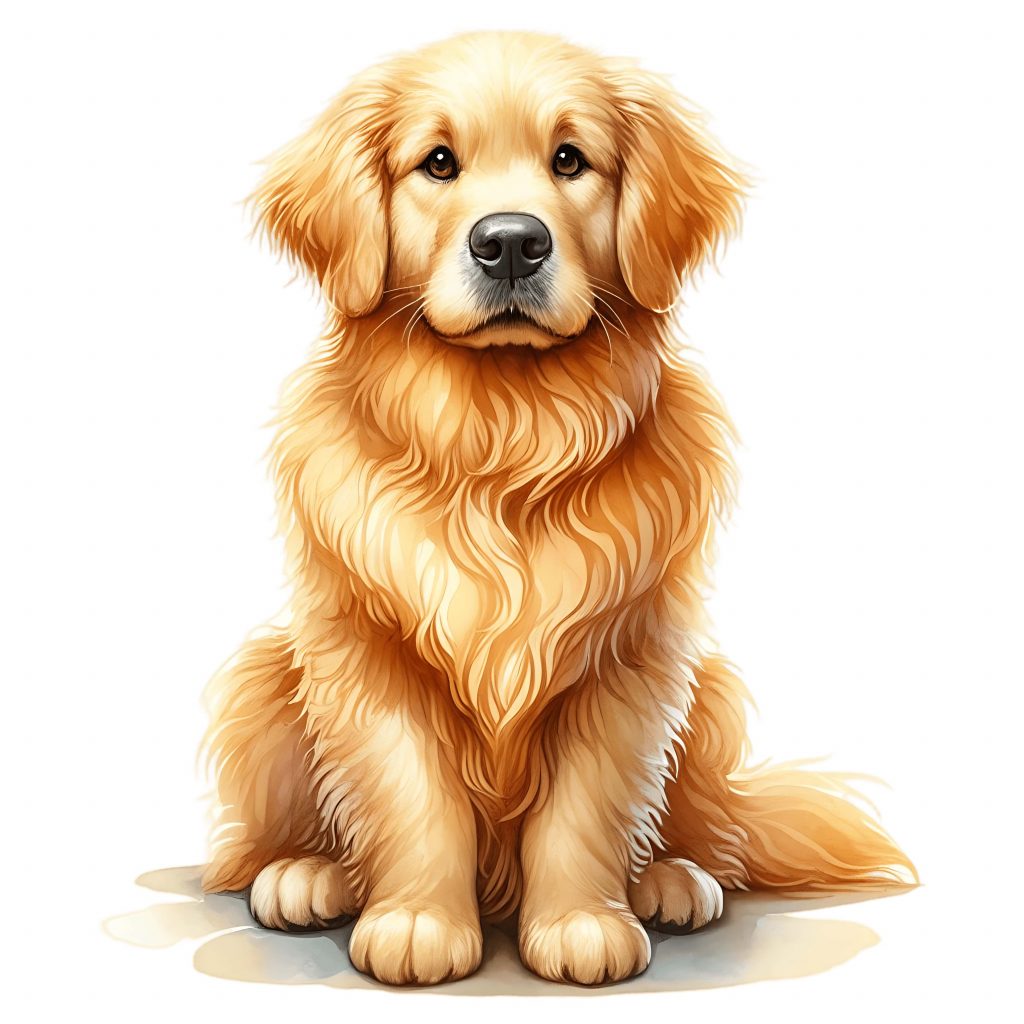
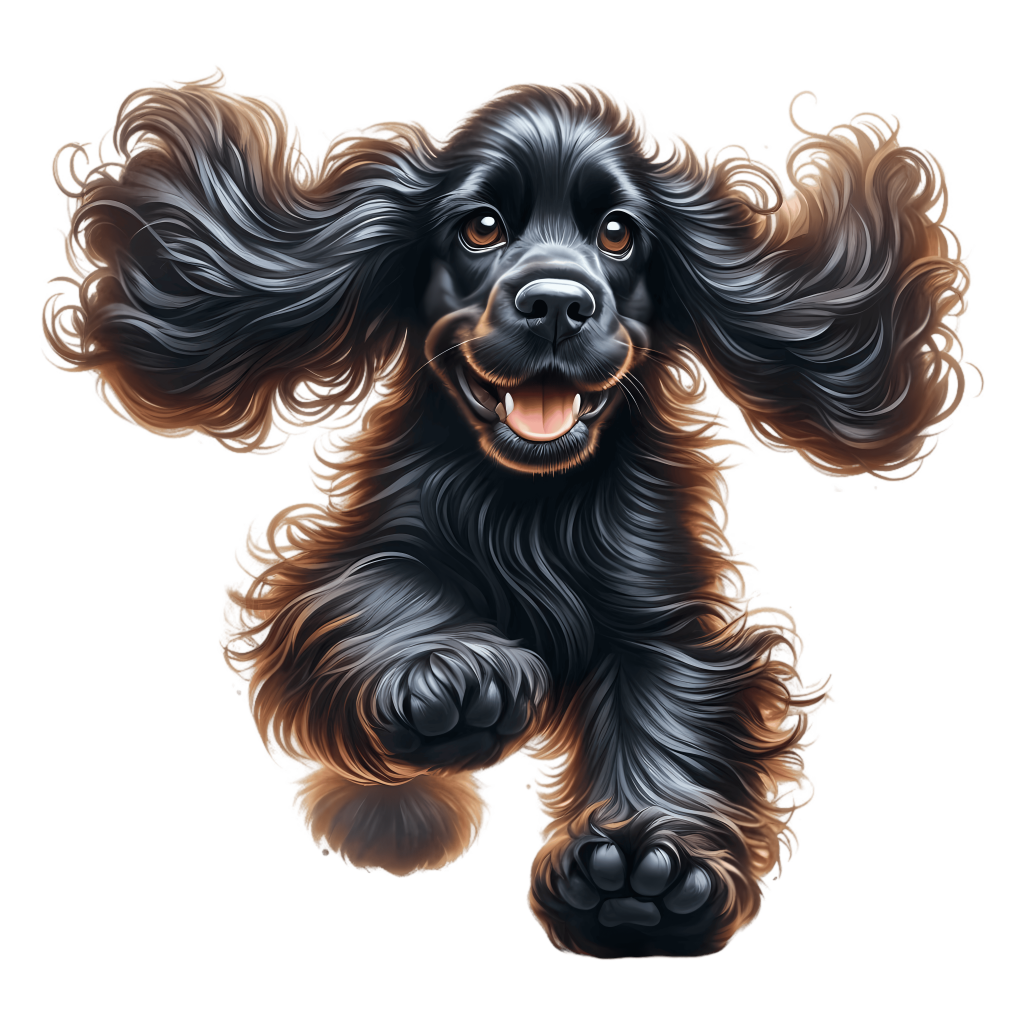
- Pet Lovers: Shirts featuring dogs, cats, or even exotic pets with phrases like “Crazy Cat Mom.”
- Hobbies: Designs for gamers (“Respawn. Coffee. Repeat.”), gardeners, bakers, or fitness enthusiasts.
- Professions: Teachers, nurses, firefighters—occupational pride is a strong motivator for T-shirt buyers.
- Pop Culture Fans: Inspired designs (without copyright violations) that reflect popular trends, memes, or aesthetics.
👉 Niche shirts often sell better than generic designs because they attract passionate communities.
Corporate Branding and Merchandising
Businesses love custom T-shirts because they’re affordable, practical, and powerful marketing tools.
- Staff Uniforms: Branded T-shirts create a unified team look.
- Promotional Giveaways: Free shirts at trade shows or events keep logos visible in daily life.
- Merchandise: Cafés, gyms, or local shops can sell branded T-shirts to customers as wearable advertising.
Even small businesses benefit from having a stack of branded shirts on hand.
Seasonal and Holiday Shirts
Seasonal shirts are some of the most profitable because they drive repeat purchases year after year.
- Christmas: Reindeer, Santa hats, and funny quotes like “Resting Grinch Face.”
- Halloween: Pumpkins, witches, or glow-in-the-dark vinyl for spooky vibes.
- Valentine’s Day: Hearts, romantic quotes, or couple shirts with complementary designs.
- Summer: Tropical themes—palm leaves, sunsets, and beach-inspired artwork.
By launching seasonal collections, you’ll always have fresh designs to promote.
Bundle and Collection Ideas
Instead of selling one-off shirts, you can create collections and bundles to increase sales.
- Couples Sets: One shirt says “King” while the other says “Queen.”
- Family Packs: Parent and child matching shirts (“Mini Boss” / “Big Boss”).
- Holiday Bundles: A set of Christmas shirts for the whole family.
Bundles not only add value but also encourage larger orders.
Photo + Clip Art Combos
Combining customer photos with digital clip art is another unique approach.
- A pet photo framed with watercolor florals.
- A wedding photo paired with seasonal clip art like autumn leaves.
- A vacation snapshot with travel-themed overlays.
These designs feel extra personal, allowing you to charge a premium price.

The creative possibilities for T-shirt personalization are endless. From heartfelt gifts to seasonal collections, niche designs to corporate branding, every blank shirt is a new opportunity. The key is to pair high-quality clip art with thoughtful design choices that match your audience.
7. Common Mistakes to Avoid
Even with the right tools and high-quality designs, many beginners run into problems when creating personalized T-shirts. The good news? Most of these mistakes are easy to avoid once you know what to watch out for. Here are the most common pitfalls—and how to fix them—so your shirts look professional every time.
1. Using Low-Resolution Images
Nothing ruins a custom T-shirt faster than a blurry design. A photo or clip art that looks sharp on your laptop screen might print as a pixelated mess on fabric.
Why it happens: Beginners often download images from Google or use low-DPI (dots per inch) files.
Fix:
- Always design at 300 DPI minimum.
- For standard 12″ × 16″ print areas, aim for files at least 3,600 × 4,800 pixels.
- Use professional clip art (like TumblersGalaxy bundles) instead of random online images.
👉 Rule of thumb: If it’s fuzzy on screen, it’ll be worse on fabric.
2. Printing on the Wrong Fabric
Different printing methods require different fabrics. Sublimation, for instance, only works on polyester. Attempting it on cotton will result in faded, dull images that wash out.
Fix:
- Sublimation: Use 100% polyester or poly-blend shirts in light colors.
- HTV (Heat Transfer Vinyl): Works on cotton, polyester, or blends.
- DTG (Direct-to-Garment): Best for 100% cotton.
👉 Always match the printing method to the fabric for lasting results.
3. Forgetting to Mirror Your Design
This one’s classic: you press your shirt and realize the design is backwards.
Why it happens: For sublimation and vinyl transfers, the design must be flipped horizontally before printing.
Fix:
- Double-check your print settings.
- Create a pre-press checklist so you don’t forget steps like mirroring.
4. Wrong Heat or Time Settings
Applying too much or too little heat during pressing can ruin a design.
- Too hot: The design may scorch or discolor.
- Too cold/short: The transfer won’t stick properly and may peel off in the wash.
Fix:
- Follow manufacturer guidelines for each material.
- Typical ranges:
- Sublimation: 375–400°F for 40–60 seconds.
- HTV: 300–320°F for 10–15 seconds.
- DTG curing: 320–340°F for 60–90 seconds.
- Always test on a scrap shirt first.
5. Poor Placement or Alignment
Nothing looks more unprofessional than a crooked or off-center design.
Fix:
- Use rulers, guides, or placement templates.
- The standard placement for chest designs is about 3″ below the neckline.
- Preview with mockups before pressing.
6. Ignoring Licensing Rules
Many crafters unknowingly violate copyright by using images they don’t have rights to. Selling shirts with unlicensed clip art can lead to takedowns, fines, or even lawsuits.
Fix:
- Only use designs with a commercial license if you’re selling.
- Keep receipts or proof of licensing in case platforms like Etsy request them.
- Review our Refund & Licensing Policy before using TumblersGalaxy clip art commercially.
7. Skipping Test Prints
Jumping straight to a large batch of shirts without testing is risky. A single mistake can waste dozens of blanks.
Fix:
- Always do a test print on one shirt before producing in bulk.
- Keep “sample shirts” in your workspace to troubleshoot over time.
8. Overcomplicating Designs
While it’s tempting to fill every inch of a shirt with colors and graphics, busy designs often don’t translate well onto fabric.
Fix:
- Keep it simple and bold.
- Focus on contrast and legibility.
- Remember: a shirt is often viewed from a distance, so clarity matters.
Mistakes are part of the learning curve, but knowing how to avoid them will save you time, money, and frustration. Stick with high-resolution files, match your fabrics to the right method, follow heat guidelines, and always respect licensing rules. With these best practices, your shirts will look professional and last through countless washes.
8. Turning T-Shirt Personalization into a Business
For many people, designing custom T-shirts starts as a fun hobby—making gifts for friends, family reunions, or small events. But with the rising demand for personalized apparel, this hobby can easily grow into a profitable side hustle or even a full-time business. Whether you want to earn extra income or dream of launching your own clothing brand, personalized T-shirts are one of the most accessible and scalable products on the market.

Why T-Shirts Are Perfect for Small Businesses
- High demand: Everyone wears T-shirts, and personalization adds value customers are willing to pay for.
- Low production cost: Blank shirts often cost £2–£5, while custom designs can sell for £15–£25 or more.
- Scalable: Start with one heat press at home and grow into an online store with hundreds of sales.
- Repeat business: Seasonal designs, events, and niche markets drive continuous demand.
This combination of affordability and versatility makes custom T-shirts one of the most popular entry points for entrepreneurs in the creative space.
Where to Sell Personalized T-Shirts
You don’t need a physical store to get started—there are multiple platforms where sellers thrive:
- Etsy: A top marketplace for custom and handmade goods. Perfect for testing niches like pet lover shirts or wedding party designs.
- Shopify: Great for building your own branded online store with full control.
- Amazon Merch on Demand: Upload your designs, and Amazon prints and ships shirts for you.
- Local Craft Fairs: Excellent for community exposure and learning which designs sell best.
- Social Media Shops: Instagram and Facebook shops connect directly with followers.
👉 Start small on Etsy or craft fairs to test demand, then scale to Shopify or Amazon once you’ve refined your products.
Pricing Strategies
Pricing correctly ensures profitability without scaring away buyers.
Typical Cost Breakdown:
- Blank shirt: £2–£5
- Printing (ink/vinyl/transfer): £1–£3
- Packaging + shipping materials: £1–£2
Average selling price: £15–£25
That means profit margins of £8–£15 per shirt are realistic.
Tips for Pricing:
- Offer bundle discounts (e.g., 2 shirts for £40).
- Charge more for customization (adding names, photos, or special requests).
- Compare competitors in your niche to stay competitive.
Marketing Your T-Shirt Business
Even the best designs won’t sell if no one sees them. That’s why marketing is key.
- Instagram & TikTok: Showcase short videos of the design and pressing process. “Behind the scenes” content builds trust and engagement.
- Pinterest: Pin lifestyle mockups and seasonal designs. Perfect for attracting gift buyers.
- Email Marketing: Offer a discount code to first-time subscribers. Great for building repeat buyers.
- SEO: Use long-tail keywords like “funny dog mom T-shirt” instead of just “custom T-shirt”.
👉 Consistency is more important than perfection. Posting 3–4 times a week builds visibility.
Building Seasonal & Niche Product Lines
A smart strategy is to create T-shirts tied to seasons and niche audiences.
- Seasonal: Launch Christmas, Valentine’s, Halloween, and Summer collections.
- Niches: Pet owners, teachers, gamers, fitness enthusiasts, or local pride shirts.
- Events: Weddings, reunions, sports teams, and charity events.
This ensures you’ll always have fresh designs to promote year-round.
Case Example: Emma’s Small Business Journey
Emma, a college graduate in London, started by making shirts for her cousin’s bridal party. She realized people loved the watercolor floral designs she created with TumblersGalaxy clip art. Encouraged by the response, she opened an Etsy shop.
- Month 1: 15 sales, mostly friends and referrals.
- Month 3: 100 sales, boosted by Instagram Reels showing her pressing designs.
- Month 6: £2,500/month revenue, with her top sellers being pet lover shirts and seasonal holiday bundles.
Emma’s success came from niching down and marketing creatively—proof that you don’t need huge investments to grow a profitable T-shirt business.
T-shirt personalization is more than just a craft—it’s a business opportunity waiting to be tapped. With low startup costs, high profit margins, and global online marketplaces, it’s never been easier to turn creativity into income. Whether you want extra weekend cash or to build a full-time brand, the T-shirt market is wide open for new creators.
9. Tools for Scaling Up
Once you’ve mastered the basics of T-shirt personalization and started making consistent sales, the next step is learning how to scale up. Scaling means increasing your output, improving efficiency, and growing your revenue without burning out. It’s about moving from a side hustle to a sustainable, professional business. To do this, you’ll need the right tools, strategies, and systems.

Buying Blank Shirts in Bulk
In the early days, you might have purchased blank shirts in small packs from craft stores or online retailers. While this works for testing, it quickly becomes expensive when sales increase.
Benefits of bulk buying:
- Lower cost per shirt (e.g., £5 retail vs. £2.50 wholesale).
- Consistent quality and sizing.
- Fewer stock shortages.
Where to source bulk blanks:
- Local suppliers specializing in sublimation or cotton blanks.
- Wholesale platforms like AlphaBroder, Bella+Canvas, or Gildan distributors.
- Specialty sublimation retailers (ensure shirts are polyester-coated if using sublimation).
👉 Pro Tip: Always order a small batch to test fit and print quality before committing to large quantities.
Automated Mockup Tools
As your catalog grows, producing physical samples of every design becomes time-consuming and expensive. That’s where mockup tools come in.
- Placeit.net: Professional T-shirt mockups with real models.
- Canva Pro: Offers smart mockup options for quick previews.
- Photoshop Smart Objects: Best for customizing branded mockups.
Mockups allow you to:
- Test multiple designs quickly.
- Save money on samples.
- Create professional product listings for Etsy, Shopify, or Amazon.
Streamlining Production: Outsourcing vs. DIY

When orders start piling up, you’ll need to decide whether to handle production yourself or outsource.
- DIY production:
- Full control over quality.
- Higher profit margins.
- Requires more time and equipment.
- Outsourcing / Print-on-Demand (POD):
- Companies like Printful, Printify, or Gelato handle printing and shipping.
- Lower upfront costs, but lower profit margins.
- Great for scaling quickly without managing inventory.
👉 Many successful sellers use a hybrid approach—producing niche/custom orders themselves while outsourcing bulk/standard designs.
Expanding Your Product Line
Once you’re comfortable with shirts, consider expanding into other personalized apparel and accessories to increase your average order value (AOV).
- Hoodies & sweatshirts.
- Tote bags.
- Hats.
- Aprons.
- Matching family sets (shirts + baby onesies).
Offering “bundles” (like a T-shirt + tote bag combo) increases customer value without requiring much extra design work.
Efficiency Tools for Business Growth
Scaling up also means getting organized. Here are some tools that can save you time:
- Inventory Management: Tools like Craftybase or Airtable to track blanks, inks, and materials.
- Shipping Solutions: Pirate Ship, ShipStation, or Royal Mail integrations for printing labels in bulk.
- Accounting Software: QuickBooks, Xero, or Wave for managing finances and taxes.
- Social Media Scheduling: Buffer, Later, or Planoly to automate Instagram, TikTok, and Pinterest posts.
When to Upgrade Your Equipment
Your beginner heat press or printer might not keep up with higher demand. Signs it’s time to upgrade include:
- Producing 10+ shirts daily and struggling with turnaround time.
- Running into frequent downtime (overheating, slow printing).
- Needing to produce larger designs or more complex graphics.
Upgrades to consider:
- Industrial heat presses with larger platens.
- DTG printers for full-color designs on cotton.
- Wide-format sublimation printers for bulk or oversized prints.
Though upgrades require investment, they dramatically increase efficiency and quality, letting you serve more customers with less manual work.

Scaling a T-shirt personalization business is about working smarter, not harder. By buying blanks in bulk, using mockup tools, outsourcing strategically, expanding your product line, and upgrading equipment when needed, you can move from hobbyist to professional. The more systems you build, the more your business can grow without overwhelming you.
10. FAQs: Everything You Need to Know About Personalized T-Shirts
When you’re starting out with custom apparel, it’s natural to have lots of questions. From materials and methods to licensing and care instructions, here are the most common FAQs beginners ask about T-shirt personalization—answered in plain, practical terms.
Q1: What’s the difference between sublimation, HTV, and DTG printing?
- Sublimation: Bonds ink with polyester fibers. Best for light-colored polyester shirts. Long-lasting, vivid colors.
- HTV (Heat Transfer Vinyl): Uses vinyl cutouts pressed onto fabric. Best for cotton or blends, great for bold designs and text.
- DTG (Direct-to-Garment): Prints ink directly onto cotton shirts. Great for complex, full-color designs, but equipment is more expensive.
Q2: Can sublimation work on cotton shirts?
No. Sublimation only bonds with polyester or poly-coated surfaces. If you try sublimation on 100% cotton, the design will look faded and wash out quickly. If you want full-color prints on cotton, DTG or HTV are better choices.
Q3: What resolution should my designs be?
Always design at 300 DPI (dots per inch). For a standard 12″ × 16″ print area, your canvas should be at least 3,600 × 4,800 pixels. This ensures crisp, professional prints without blurriness or pixelation.
Q4: Are personalized T-shirts machine washable?
Yes—but it depends on the method:
- Sublimation: Fully washable; the ink becomes part of the fabric.
- HTV: Wash inside-out in cold water to preserve the vinyl.
- DTG: Wash on gentle cycles; fading is minimal with proper care.
👉 Advise customers on care instructions to prevent complaints.
Q5: Can I sell T-shirts with free images I find online?
Usually no. Free images are often licensed for personal use only. Selling shirts with unlicensed artwork can lead to legal issues or takedowns on Etsy/Amazon.
Solution: Use artwork that comes with a commercial license. At TumblersGalaxy, our clip art bundles include clear licensing so you know exactly how you can use them. Check our Refund & Licensing Policy before listing items for sale.
Q6: What’s the best fabric for personalized shirts?
- Sublimation: 100% polyester (or at least 65% polyester).
- HTV & DTG: 100% cotton works best, though blends are also fine.
- Screen Printing: Works on almost any fabric type.
Q7: How long do custom T-shirt designs last?
- Sublimation prints: As long as the shirt itself.
- HTV: 30–50 washes if cared for properly.
- DTG: 50+ washes with minimal fading.
Quality blanks and correct pressing/curing extend the lifespan.
Q8: Do I need a business license to sell T-shirts?
It depends on your location. Many sellers start small on Etsy or fairs without formal registration, but if you’re making consistent sales, you’ll likely need to:
- Register as a sole trader (UK) or get a business license (US/EU).
- Keep records for taxes.
- Understand local rules for selling online.
👉 Always check your local regulations before scaling up.
Q9: What’s the startup cost for a T-shirt personalization business?
- Beginner setup: £200–£300 (inkjet printer, transfer paper, basic heat press, blanks).
- Intermediate setup: £800–£1,200 (sublimation printer, cutting machine, pro heat press).
- Advanced setup: £2,000+ (DTG printer, bulk blanks, business software).
Many sellers recover their investment within months thanks to strong profit margins.
Q10: What size should I design at?
For most adult shirts, the print area is around 12″ × 16″.
For pocket/chest prints, stick with 4″ × 4″.
For children’s shirts, reduce proportionally. Always check your blank shirt supplier’s guidelines.
Q11: How do I know what designs will sell?
Research niches and test! Look at what’s trending on Etsy, TikTok, and Pinterest. Pet lovers, teachers, weddings, and seasonal designs consistently perform well.
👉 Start small with a handful of designs, see what resonates, then expand.
These FAQs cover the technical, practical, and business sides of T-shirt personalization. With the right materials, print methods, and licenses, you’ll avoid beginner pitfalls and create professional-quality shirts customers love.
Bonus Case Study: How Liam Built a £3,000/Month T-Shirt Business
When Liam, a 28-year-old graphic design graduate from Manchester, decided to create custom T-shirts, he didn’t expect it to turn into a full-time income stream. What started as a side project for a friend’s bachelor party grew into a thriving online business generating £3,000 per month in under a year. Here’s how he did it—and what you can learn from his journey.

The Beginning: A Party Idea That Sparked a Business
In 2022, Liam’s best friend asked him to design shirts for a bachelor weekend trip. He used TumblersGalaxy watercolor clip art combined with bold typography to create a fun slogan: “One Last Adventure Before the Ring.” The shirts were a hit—not just with the groom’s party, but with strangers who asked where they could buy one.
That experience planted the seed: maybe there was real demand for personalized T-shirts.
Testing the Waters on Etsy
Liam opened a small Etsy shop with just five designs: bachelor/bachelorette themes, funny quotes, and a couple of pet-inspired shirts. He didn’t invest in expensive equipment right away. Instead, he started with a Cricut cutter, HTV vinyl, and a basic heat press—about £400 total.
Within the first month, he sold 25 shirts. It wasn’t much money, but it proved the concept.
Finding His Niche
Instead of trying to sell every type of T-shirt under the sun, Liam focused on two niches:
- Funny quotes with watercolor clip art backgrounds (quirky, trendy).
- Pet lover shirts (dogs and cats with names added).
By narrowing down, he could tailor his designs, keywords, and marketing to a specific audience. This helped him stand out in the crowded Etsy marketplace.
Marketing That Worked
Liam credits his growth to simple but consistent marketing:
- TikTok videos: Quick 15-second clips showing the shirt press “reveal” moments.
- Instagram Reels: Lifestyle mockups of people wearing his shirts.
- Pinterest pins: Seasonal designs uploaded with searchable keywords.
One TikTok showing him pressing a “Dog Dad” shirt hit 50,000 views in a week, doubling his sales overnight.
Scaling Up
By month four, Liam was fulfilling 150+ orders a month and reinvesting profits into better equipment:
- Upgraded to a sublimation printer for polyester designs.
- Bought a swing-away heat press for faster, more reliable transfers.
- Began ordering blank shirts in bulk to reduce costs.
These upgrades allowed him to offer more complex, colorful designs while cutting production time.
Hitting £3,000/Month
At six months, Liam’s shop consistently earned £3,000 per month in revenue, with an average profit margin of around 50%. His bestsellers were:
- Pet shirts customized with names.
- Bachelor/bachelorette shirts.
- Seasonal holiday shirts (Christmas and Valentine’s).
He also experimented with Shopify to build his own brand presence, though Etsy remained his primary marketplace.
Lessons from Liam’s Success
- Start Small: Liam began with just five designs and basic equipment. You don’t need thousands of pounds to begin.
- Niche Down: Pet owners and wedding parties gave him a loyal customer base.
- Leverage Social Media: Short, authentic videos created free viral marketing.
- Reinvest Early: Upgrading equipment improved quality and saved time.
- Stay Seasonal: Launching holiday collections kept his shop fresh and relevant.
Liam’s journey shows that turning creativity into cash is more realistic than many believe. By starting small, focusing on niches, and leveraging affordable clip art and social platforms, he built a sustainable business from scratch.
For anyone dreaming of their own T-shirt shop, Liam’s story is proof that with the right strategy—and a little consistency—you can go from hobbyist to entrepreneur in a matter of months.
Your Path to Personalized T-Shirt Success
From a simple cotton shirt to a powerful tool of self-expression, the T-shirt has become one of the most customizable and profitable canvases in the world. In this guide, we’ve walked through every step of the personalization process—showing how anyone, from hobbyist to aspiring entrepreneur, can turn creativity into something tangible, wearable, and meaningful.
The Journey We’ve Covered
- Why Personalized T-Shirts Are Popular – Emotional value, event memories, business branding, and affordable DIY appeal.
- Tools and Materials You’ll Need – From beginner-friendly Cricut and heat presses to advanced DTG printers, with clear comparisons.
- Choosing the Right Digital Designs – File formats, resolution, color profiles, and licensing essentials.
- Step-by-Step Designing – Setting up a canvas, importing clip art, adding typography, and previewing with mockups.
- Printing Methods – Sublimation, heat transfer vinyl, direct-to-garment, and screen printing explained.
- Creative Ideas – From birthday gifts to niche markets like pet lovers, weddings, and seasonal launches.
- Common Mistakes to Avoid – Low-res images, wrong fabrics, alignment issues, and ignoring licensing rules.
- Turning It Into a Business – Platforms to sell on, pricing strategies, marketing tips, and success stories like Emma’s.
- Tools for Scaling Up – Bulk buying, mockup automation, outsourcing, and equipment upgrades.
- FAQs – Practical answers to beginner concerns, from washability to startup costs.
- Case Study: Liam’s £3,000/Month Success – Proof that with focus and consistency, anyone can grow a thriving T-shirt business.
Together, these sections form a complete roadmap—from your very first shirt to a professional shop.
Why Personalized T-Shirts Are Here to Stay
The custom apparel industry is growing fast because consumers are shifting away from mass-produced clothing. People want items that:
- Reflect their identity and passions.
- Celebrate milestones and events.
- Connect them to a community, team, or brand.
Personalized T-shirts tick all those boxes. They’re affordable to make, versatile for design, and always in demand—whether for gifts, fashion, or branding. That’s why they’re considered one of the most beginner-friendly business opportunities in the creative space.
Your Next Steps
Now that you know the tools, methods, and strategies, here’s how to put it into action:
- Start small: Create one or two designs and test them on personal shirts or gifts.
- Choose your method: Sublimation for polyester, HTV for cotton, or outsource with print-on-demand.
- Find your niche: Pet owners, seasonal events, or local pride—specific audiences buy more consistently.
- Sell smart: List on Etsy, promote on Instagram/TikTok, and expand when you see demand.
- Reinvest & scale: Upgrade tools, buy blanks in bulk, and grow your product line.
👉 Remember, every business starts with one first step. Don’t wait until everything is “perfect.” The best way to learn is to make, test, and improve as you go.
At TumblersGalaxy, we believe every creator deserves access to professional-quality artwork that inspires confidence and drives sales. That’s why our Watercolor Clip Art Collections are designed for crafters, small businesses, and dreamers who want to turn blank apparel into wearable art.
👉 Explore our Watercolor Clip Art Collection today and take the first step toward your next design.
Your first custom shirt might be a gift, a memory, or the start of a brand-new business. Whatever your goal, the opportunity is in your hands. The only question left is: what will you create first?
-
10 Creative Ways to Use Watercolor Clip Art in DIY Projects (Step-by-Step Guide for Beginners)
Learn 10 creative ways to use watercolor clip art in DIY projects. From personalized mugs to stickers, wall art, and social media graphics, discover how to design unique…
-
![[Product/Subject Name] PNG clipart for sublimation and crafts](https://tumblersgalaxy.co.uk/wp-content/uploads/2025/08/il_fullxfull.6498443975_qeeo-scaled.jpg)
17 Grumpy Grandma Day by Day wearing Pijama PNG Clipart | Funny Old Lady Cartoon | Crazy Grandma | Happy Woman Sublimation Commercial Use – Instant Digital Download
17 Grumpy Grandma Day by Day wearing Pijama PNG Clipart | Funny Old Lady Cartoon | Crazy Grandma | Happy Woman…
-
![[Product/Subject Name] PNG clipart for sublimation and crafts](https://tumblersgalaxy.co.uk/wp-content/uploads/2025/08/il_fullxfull.6564556633_swlp-scaled.jpg)
17 Simmental Cattle PNG Clipart, Watercolor Farm Animals Cows for Card Making, Scrapbooking Junk Journaling Sublimation Image Commercial Use – Instant Digital Download
17 Simmental Cattle PNG Clipart, Watercolor Farm Animals Cows for Card Making, Scrapbooking Junk Journaling Sublimation Image Commercial Use is an…
-
![[Product/Subject Name] PNG clipart for sublimation and crafts](https://tumblersgalaxy.co.uk/wp-content/uploads/2025/08/il_fullxfull.6776502658_55pg-scaled.jpg)
Graduation Tree Clipart with the Branches Full of Caps, Graduation Certificate & Leaf | Grad Student | College Graduate 7 PNG-JPG Commercial – Instant Digital Download
Graduation Tree Clipart with the Branches Full of Caps, Graduation Certificate & Leaf | Grad Student | College Graduate 7 PNG-JPG…
-
![[Product/Subject Name] PNG clipart for sublimation and crafts](https://tumblersgalaxy.co.uk/wp-content/uploads/2025/08/il_fullxfull.6826709117_qtd4-scaled.jpg)
Bear wearing Cap holding a Diploma PNG | Graduation Kindergarten Bear Clipart Grad Student | Graduate Sublimation | 8 JPG-PNG Commercial Use – Instant Digital Download
Bear wearing Cap holding a Diploma PNG | Graduation Kindergarten Bear Clipart Grad Student | Graduate Sublimation | 8 JPG-PNG Commercial…
-
![[Product/Subject Name] PNG clipart for sublimation and crafts](https://tumblersgalaxy.co.uk/wp-content/uploads/2025/08/il_fullxfull.6826611439_r8b9-scaled.jpg)
Proud Graduate | Fiery phoenix wings symbolizing freedom, growth, and transformation flying over a diploma scroll | 8 PNG-JPG Commercial Use – Instant Digital Download
Proud Graduate | Fiery phoenix wings symbolizing freedom, growth, and transformation flying over a diploma scroll | 8 PNG-JPG Commercial Use…
-
![[Product/Subject Name] PNG clipart for sublimation and crafts](https://tumblersgalaxy.co.uk/wp-content/uploads/2025/08/il_fullxfull.6780803312_ai28-scaled.jpg)
Kindergarten Fox wearing Cap holding a Diploma PNG | Graduation Fox Clipart | Grad Student | Graduate Sublimation | 9 PNG-JPG Commercial Use – Instant Digital Download
Kindergarten Fox wearing Cap holding a Diploma PNG | Graduation Fox Clipart | Grad Student | Graduate Sublimation | 9 PNG-JPG…
-
![[Product/Subject Name] PNG clipart for sublimation and crafts](https://tumblersgalaxy.co.uk/wp-content/uploads/2025/08/il_fullxfull.6828807789_efxl-scaled.jpg)
Kindergarten Owl wearing a Graduation Cap on a Stack of Books PNG Clipart | Graduate Sublimation | Grad Student | 8 PNG-JPG Commercial Use – Instant Digital Download
Kindergarten Owl wearing a Graduation Cap on a Stack of Books PNG Clipart | Graduate Sublimation | Grad Student | 8…
-
![[Product/Subject Name] PNG clipart for sublimation and crafts](https://tumblersgalaxy.co.uk/wp-content/uploads/2025/08/il_fullxfull.6545008951_8dyr-scaled.jpg)
24 Bulldog Puppy Dog PNG Clipart | Watercolor Bulldog Baby Dog for Card Making, Scrapbooking, Junk Journaling, Sublimation Commercial Use – Instant Digital Download
24 Bulldog Puppy Dog PNG Clipart | Watercolor Bulldog Baby Dog for Card Making, Scrapbooking, Junk Journaling, Sublimation Commercial Use is…
-
![[Product/Subject Name] PNG clipart for sublimation and crafts](https://tumblersgalaxy.co.uk/wp-content/uploads/2025/08/il_fullxfull.6634758776_a10f-scaled.jpg)
Little Girl Swinging Under Willow Tree Clipart | 10 PNG & 10 JPG | Whimsical Tree Clip Art for Scrapbooking, Sublimation | Commercial Use – Instant Digital Download
Little Girl Swinging Under Willow Tree Clipart | 10 PNG & 10 JPG | Whimsical Tree Clip Art for Scrapbooking, Sublimation…
-
![[Product/Subject Name] PNG clipart for sublimation and crafts](https://tumblersgalaxy.co.uk/wp-content/uploads/2025/08/il_fullxfull.6329777804_sf9m-scaled.jpg)
24 Woman Reading in Cozy Clothes Clip Art PNG | Cute Old Lady Reading in Pijama Clipart | Happy Grandma Reading | Sublimation Commercial Use – Instant Digital Download
24 Woman Reading in Cozy Clothes Clip Art PNG | Cute Old Lady Reading in Pijama Clipart | Happy Grandma Reading…
Leave a Reply